
Good product photography can lift your Kerala e-store from forgettable to trustworthy. These product photography tips focus on low‑cost, practical methods — using a phone, simple lighting and easy backgrounds — so small businesses can create clean, converting images without expensive studios.
Why solid product photography matters
Online shoppers rely on images to understand quality, size and colour. Clear, consistent photos reduce returns and increase buyer confidence. With a few low-cost changes you can dramatically improve how products appear on your site, social media and marketplaces.
Phone techniques for sharper images
- Use the main camera: Most phones have a higher-quality main lens than ultra‑wide or selfie cameras. Use it for primary product shots.
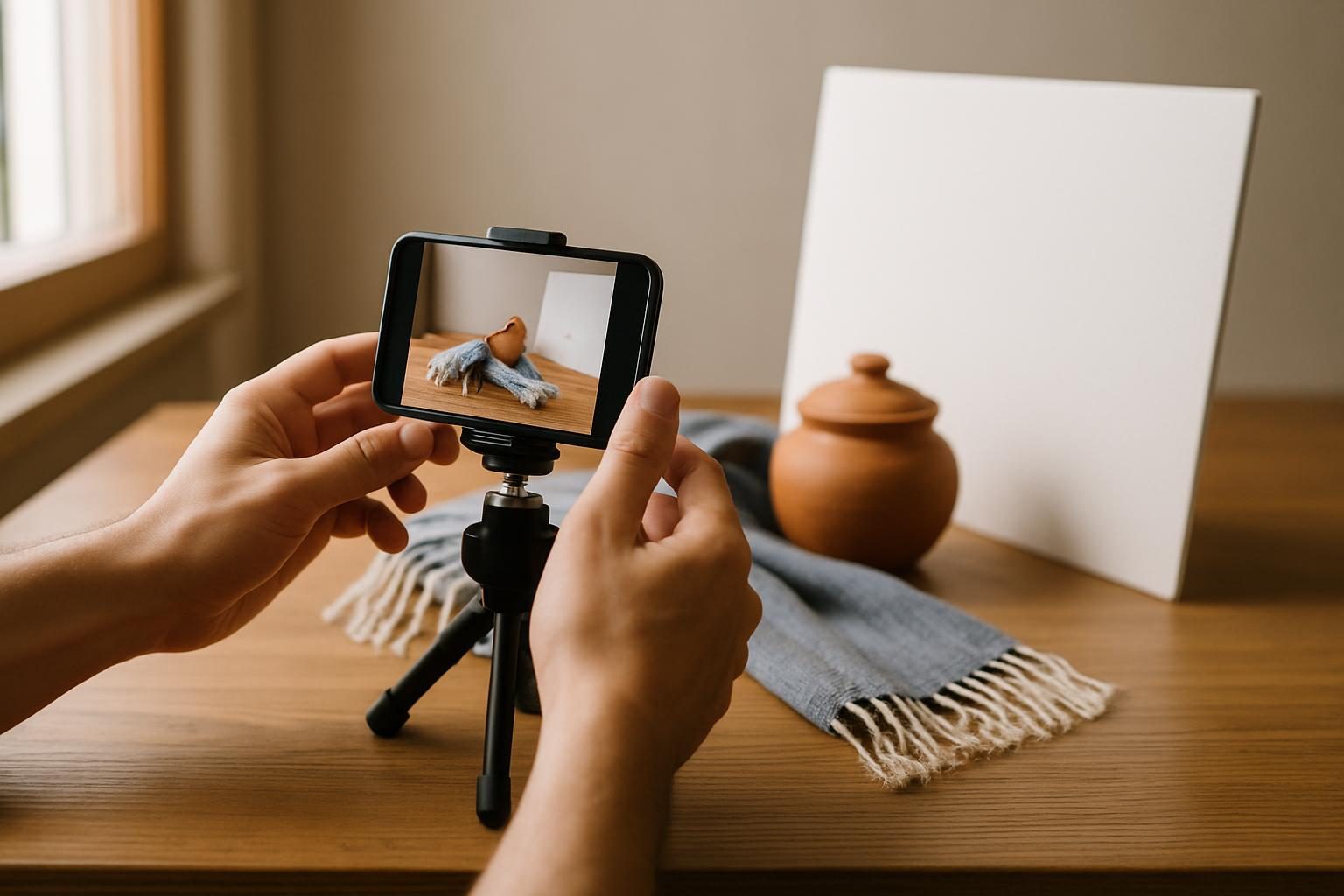
- Stabilise the phone: A small tripod or even a stack of books and a rubber band will reduce blur. Stable shots look more professional.
- Lock focus and exposure: Tap and hold the subject on your screen to lock focus/exposure. This prevents the phone from changing brightness between frames.
- Shoot at the highest resolution: Higher resolution makes it easier to crop without losing detail. Avoid heavy digital zoom; instead move closer or crop later.
- Take multiple angles: Include front, back, side, detail close-ups and scale shots with a common object (coin, hand, tape measure) so buyers understand size.
Lighting: use natural light and simple reflectors
Good lighting is the single most important factor. You don’t need studio lights — Kerala’s daylight is an advantage.
- Shoot near a window: Soft daylight from a north or shaded window gives even illumination. Avoid harsh direct sun that creates strong shadows.
- Use a reflector: Bounce light back onto the product using inexpensive materials — white foam board, a cheap reflector, or even a sheet of aluminium foil on cardboard. Position it opposite the window to fill shadows.
- Diffuse direct light: If sunlight is too strong, diffuse it with a thin white curtain, baking paper or a portable diffuser to soften shadows and reduce glare.
- Keep light consistent: Shoot all product photos in the same lighting setup to maintain a cohesive look across your product pages.
Backgrounds and composition that sell
Simple backgrounds keep attention on the product and look professional across devices.
- Use plain backgrounds: White, off‑white or light grey backgrounds work well for most product types and make images easy to crop for e-commerce listings.
- Create a seamless setup: A roll of white photo paper, a plain bedsheet, or a large foam board curved where it meets the table produces a seamless horizon line for clean product shots.
- Consider lifestyle shots: For handloom, spices or home décor, include one or two lifestyle photos showing the product in use or context to help customers imagine ownership.
- Rule of thirds and negative space: Compose products with some breathing room. For single product listings, center or place slightly off‑centre using the rule of thirds to create a pleasing composition.
Simple editing and file preparation
Editing polishes photos and ensures they load quickly on your store.
- Crop and straighten: Keep the product centred and remove unwanted border area. Straight images look more trustworthy.
- Adjust exposure and white balance: Make small adjustments to brightness and colour to match the real product. Avoid over‑saturation — you want accuracy.
- Background clean‑up: Use simple tools (phone apps like Snapseed or desktop editors like free GIMP) to remove dust, tiny blemishes or stray threads.
- Export for web: Save images as JPEG or WebP with quality set to balance clarity and file size. Keep main product images under 200–300 KB where possible to improve page speed.
Practical setups by product type (fast tips)
- Clothing and textiles: Photograph flat lays and mannequin/stand shots. Use a softbox of diffused window light and a reflector to show texture.
- Jewellery and small items: Use a light tent or DIY box with white paper and a side light. Macro/detail shots help show craftsmanship.
- Homewares and pottery: Combine plain product shots with one lifestyle shot on a wooden or neutral coloured surface for warmth.
- Food and spices: Shoot quickly in natural light to retain colour. Include close-ups of texture and a scaled shot for packaging size clarity.
Batch shooting and workflow tips
- Prepare a shoot list: Note the angles and close-ups you need for each product before you start to save time.
- Shoot in batches: Photograph similar products in the same session — same lighting and background — to keep a consistent look and speed up editing.
- Label files clearly: Use logical filenames (SKU_angle.jpg) so editors and your e-commerce platform can match images to products easily.
- Test on multiple devices: Preview images on phone and desktop to ensure readability and colour consistency before uploading.
Where to learn more and when to upgrade
Start with phone-based shoots and simple lighting. If your catalogue grows or you need high-end advertising images, consider hiring a local studio or a professional photographer for specific hero shots. For step-by-step guides on marketing products online, read our article on social selling tactics for Kerala retailers: WhatsApp & Instagram Marketing Tactics for Kerala Retailers.
For technical SEO and image optimisation advice relevant to e-commerce, the Google Search Central documentation can be a useful reference: developers.google.com/search.
Next steps for Kerala e-store owners
Apply these product photography tips to a few of your best-selling SKU pages and compare performance after a few weeks. Improved images often lead to higher click‑through rates and fewer pre‑sale queries.
If you need help improving product pages, image optimisation or a new e-commerce site, Lee Info Solutions offers web design, SEO and e-commerce services. Check our services page for web design and SEO: web design, SEO, and e-commerce options: e-commerce. For a free quote reply within 24 hours, contact us here: Get a free quote.
Phone us at +91 97450 45160 or email info@leeinfosolutions.com to discuss low-cost ways to improve your product photos and online conversions.
Good images build trust — start small, be consistent, and your Kerala e-store will look more professional to buyers.


0 Comments